Prompt Engineering Is the New Digital Literacy: Why Your Career Depends on it in 2026
Originally published on Medium. Read here free — no account needed.
The skill nobody put on your job description, but everyone will quietly measure you against
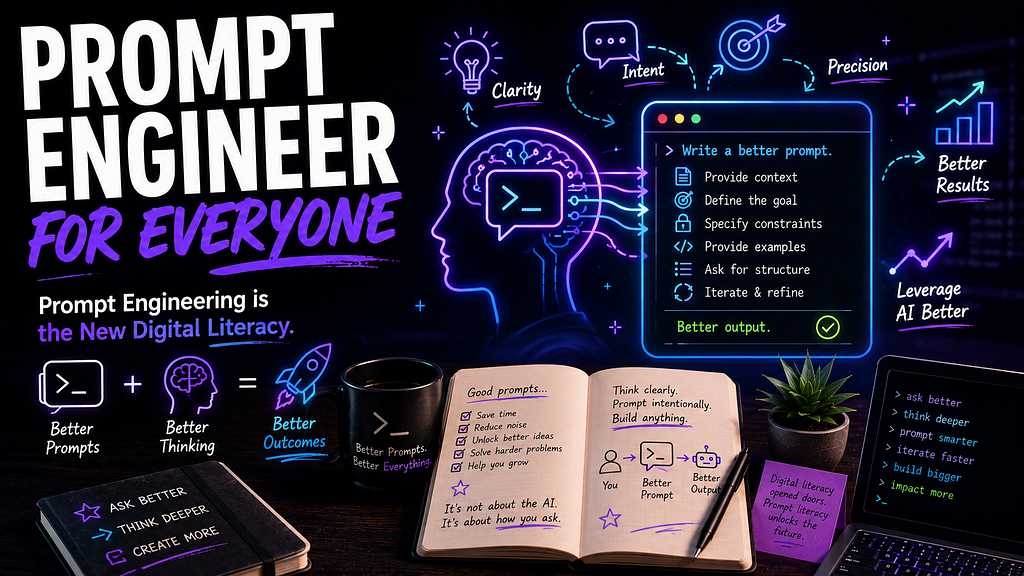
In 2010, if you couldn’t Google your way to an answer, you looked slow at work. In 2017, if you couldn’t read a spreadsheet, you got handed worse projects. In 2026, if you can’t get useful output from a language model, it shows up in your performance review.
Prompt engineering isn’t a fad. It’s not just for AI researchers. It’s not even a “technical” skill in the traditional sense. It’s the next form of digital literacy, and the gap between people who have it and people who don’t is showing up in real career outcomes.
The good news is that it’s not hard to learn. The bad news is most people aren’t bothering. 💡
What Prompt Engineering Actually Is
Drop the jargon for a second. Prompt engineering is the practice of writing clear, structured inputs that get ChatGPT, Claude, or any other large language model to produce something useful. Now I have my own opinion about using the word engineering for this, but I digress.
That’s it. No certification. No required math. No prerequisite degree.
If you’ve ever typed something into an AI tool and thought, “That’s not what I meant,” you’ve already seen why this skill exists. The model isn’t broken. Your prompt was vague, and a vague prompt produces a vague answer.
Why This Is Career Capital, Not a Technical Specialty
Every generation has had a “table-stakes” digital skill. The list goes something like:
- 1995: Email
- 2005: Google search
- 2015: Spreadsheets and basic data tools
- 2026: Talking to language models
Each one started as a “techy” thing and ended up invisible. Once everyone had it, nobody noticed. But the people who didn’t pick it up got slower, less productive, less competitive. They didn’t get fired for not knowing how to email. They just kept getting passed over for promotions, never quite knowing why.
Prompt engineering is in the messy middle of that cycle right now. It’s still seen as specialized. It’s still impressive when someone does it well, but that window is closing fast. The career stakes are real.
Output gap. A junior who knows how to prompt well writes documentation, debugs unfamiliar code, and ships PRs faster than a senior who refuses to use AI tools. The work product looks the same. The time it took doesn’t.
Visibility. In hybrid and remote teams, your output is the most legible thing about you. If AI doubles someone else’s output and you’re still hand-rolling everything, the gap becomes obvious to managers fast.
Hiring signal. Recruiters and hiring managers are starting to ask about it directly. “How are you using AI in your current role?” is showing up in screening calls. “I don’t really use it” is a yellow flag.
You don’t need to become a prompt engineer, but being prompt-literate is going to help you much more than it could ever hurt you.
The Five Pieces of a Good Prompt
Most bad AI output traces back to one of five missing pieces. Here’s the framework that working professionals use, regardless of role.
1. Set the Role
“You are a senior code reviewer with deep experience in TypeScript and React.”
Telling the model who it’s pretending to be shapes its tone, vocabulary, and what details it focuses on. A “senior code reviewer” cares about different things than a “junior pair programmer.”
2. Define the Task
“Review this PR and flag potential bugs, security issues, and readability problems.”
Be specific about what you want the model to do. “Help me with my code” is vague. “Review this PR for bugs” is actionable.
3. Add Context
“This is a customer-facing checkout flow. Latency matters. Errors must be logged but never exposed to the user.”
Context is the highest-impact part of a prompt. The more relevant background you give, the less the model has to guess. Vague prompts force the model to invent, and that’s where hallucinations come from.
4. Specify Format
“Return your findings as a numbered list, with severity (low/medium/high) and a suggested fix for each.”
Tell the model what shape the answer should take. This saves you from reformatting or re-asking for revisions later.
5. Iterate
“Good. Now also check for accessibility issues, and prioritize the top 3.”
A first prompt is rarely the last prompt. Treat the conversation as a loop, not a one-shot. Each response is data for your next move.
The professionals who get the most out of AI aren’t the ones with secret tricks. They’re the ones who default to this structure without thinking about it.
What Prompt Literacy Looks Like at Work
This skill isn’t abstract. It shows up in concrete moments.
- Drafting documentation in minutes instead of half a day
- Debugging unfamiliar codebases by feeding the model context and asking targeted questions
- Summarizing long Slack threads or meeting transcripts before you respond
- Brainstorming PR titles, commit messages, or onboarding docs without staring at a blank page
- Reviewing your own code for issues your eyes have glazed past
- Translating between domains: “explain this SQL query to a frontend developer”
- Estimating effort: “given this ticket description, what’s a realistic time estimate, and what assumptions am I making?”
None of these require AI expertise. They require knowing how to ask. The difference between someone who knows how to ask and someone who doesn’t is the difference between AI as a productivity multiplier and AI as a frustrating toy. 🛠️
The Career Cost of Skipping This
People who decide AI “isn’t for them” aren’t standing still, and they’re falling behind in real, measurable ways.
The output gap compounds. Every week, someone else is shipping more, learning faster, and getting more visible wins. Six months in, the gap isn’t recoverable with effort alone. The person ahead has built more momentum and better feedback loops.
Skill atrophy. People who refuse AI tools tend to also avoid learning adjacent skills like better documentation, cleaner commits, faster prototyping. The refusal isn’t just about AI. It’s a signal of how someone responds to change in general.
Visibility loss. Managers notice who’s productive. They might not know exactly why you’re slower than the engineer next to you, but they notice the pattern. Performance reviews tend to follow.
It’s not that AI is replacing people. It’s that people with AI fluency are replacing people without it, slowly, quietly, and one job opportunity at a time.
How to Practice Without Overcommitting
You don’t need a curriculum. You need three things: a tool, a habit, and a reflection loop.
Pick one tool. ChatGPT, Claude, Gemini, or GitHub Copilot are all reasonable starting points. Don’t try all four. Pick one and use it for a month before evaluating.
Pick one repeating task. Something you do at least three times a week like writing emails, drafting commit messages, debugging unfamiliar code, summarizing meeting notes. The repetition is what builds the skill.
Iterate after every output. Don’t accept the first answer. Ask yourself: what’s missing? What would I have written differently? What should I have told it up front? Then re-prompt with that information. The iteration is where the learning happens.
After a month, you’ll notice three things:
- You’re faster at the task.
- You’re better at framing what you actually want.
- You’re starting to see other places this skill applies.
That’s the literacy curve. Show up for it, and it bends fast.
The Real Differentiator
Most career advice in 2026 boils down to one question: what do you do that AI can’t?
The better question is: what do you do better because you know how to work with AI?
A developer who can’t prompt well writes the same code, but slower. A writer who can’t prompt well drafts the same article, but with more friction. A manager who can’t prompt well summarizes the same meeting, but with worse notes.
The differentiator is AI-literate vs. AI-curious. The first group is shipping, and the second group is still wondering whether it’s worth the effort.
Start Today
If you’re reading this and you haven’t seriously used an AI tool in the past month, here’s your starting move:
Pick the one task you do most often this week.
Open ChatGPT or Claude.
Use the five-part framework above (Role, Task, Context, Format, Iterate).
Iterate until the output is something you’d actually use.
That’s it. No course, no book, no subscription, and no “AI for Career Growth” program. Just one task, one tool, and the discipline to iterate.
Do that for a month, and you’ll have done more for your career than 90% of the people still complaining that AI is going to take their job.
The future doesn’t belong to people who can build AI. It belongs to people who can wield it.
What’s your current prompt habit? Do you have a go-to framework, or are you still typing one-liners and hoping for the best? Drop it in the comments. I’m collecting people’s actual workflows.